
Start with the formula: (average recent views ÷ 1,000) × niche CPM × format multiplier. That single calculation produces a defensible sponsorship price, and it is how most marketplaces and agencies price deals in 2026. Cross-niche sponsorship CPMs typically run from $15 to $80 per 1,000 views, with finance and B2B/SaaS channels at the top of that range and lifestyle or gaming content sitting closer to the floor.
Here's a worked example.
- 40,000 ÷ 1,000 = 40
- 40 × $35 = $1,400
- $1,400 × 1.0 (integration multiplier) = $1,400 base rate
That number is a starting point, not a ceiling. Usage rights, exclusivity windows, and dedicated-video formats all push it higher, which the sections below break down in detail.
Key Takeaways
Sponsorship rates in 2026 follow a repeatable formula: recent average views, a niche CPM benchmark, and a format multiplier together produce a defensible price.
| Point | Details |
|---|---|
| Use the core formula | (Average views ÷ 1,000) × niche CPM × format multiplier gives you a defensible starting price. |
| Base pricing on 90 day views | Recent average views, not subscriber count, is what brands actually pay for. |
| Match format to multiplier | Dedicated videos run 3x to 5x, integrations sit at 1x, and Shorts run 0.3x to 0.6x. |
| Price add-ons separately | Usage rights, whitelisting, and exclusivity each carry their own uplift beyond the base fee. |
| Test rates in a real marketplace | Collabonly connects creators with brands actively budgeting for their tier, speeding up the negotiation once your rate card is ready. |
Table of Contents
- How YouTube Sponsorship Rates Actually Get Calculated
- What Are the YouTube Sponsorship Benchmarks by Tier and Niche?
- How Format and Placement Change the Price
- Negotiation Levers and Contract Add-Ons
- A Three-Step Method for Setting Your Rate
- Should You Trust a Sponsorship Rate Calculator?
- The Gap Between Rate Cards and Real Negotiations
- Sources
- FAQ
How YouTube Sponsorship Rates Actually Get Calculated
Brands and creators price deals using two core metrics: CPM (cost per thousand views) and CPV (cost per view). CPM dominates sponsorship negotiations because it scales cleanly with audience size, while CPV shows up more often in performance-based affiliate arrangements where the brand pays per click or conversion rather than exposure.
The baseline for any calculation is your recent average views, not your subscriber count, which is explained in detail in this small-business influencer marketing guide. A channel with 200,000 subscribers but 8,000 average views per upload is priced on the 8,000, not the vanity number. Most calculators and agencies pull this average from the last 90 days of uploads, which smooths out one viral outlier or one dead week and gives the brand a realistic forecast of what their sponsored video will actually deliver.
A channel with heavy US and UK viewership commands a premium over one skewed toward regions with lower ad rates, because brand budgets are usually set against the buying power of the audience, not just its size. Comment rate and average view duration matter too. A brand paying for a dedicated review wants evidence viewers actually watch past the first 30 seconds, since that's where the sponsored segment usually lives.
A few variables to track before you quote anyone a number:
- Average views across your last 90 days of uploads, not lifetime average
- Engagement rate (comments plus likes divided by views)
- Audience geography breakdown from YouTube Studio
- Average view duration on recent uploads in the same format you're pricing
Niche CPM tends to swing wider than any other single variable. A finance channel and a gaming channel with identical view counts can land $2,000 apart on the same dedicated video, purely because of what the brand is willing to pay per thousand eyeballs in that category.
What Are the YouTube Sponsorship Benchmarks by Tier and Niche?
Channel tier sets the floor and ceiling; niche sets where inside that range you land. Nano and micro creators often assume their small audience prices them out of sponsorships entirely, but that's backward. Brands running affiliate-style or product-seeding campaigns specifically hunt for small, high-trust channels because the cost per engaged viewer is often lower than working with a macro creator.
Typical per-video dollar ranges by tier:
- Nano (under 10K average views): a low to moderate range per video, often product-plus-fee deals
- Micro (10K to 50K average views): a moderate to higher range per video, depending heavily on niche
- Mid-tier (50K to 500K average views): a substantial range per video
- Macro and mega (500K+ average views): scales well beyond mid-tier rates, often with retainer packages layered on top
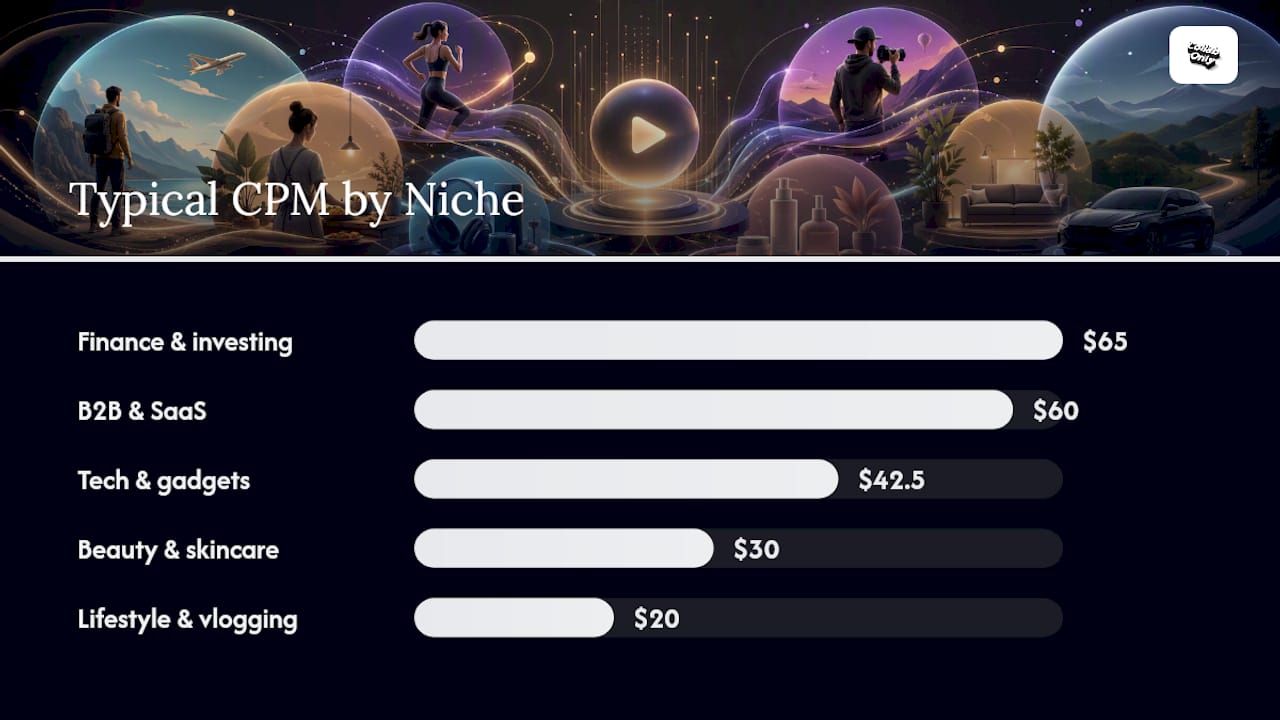
Niche CPM ranges for 2026 look roughly like this:
| Niche | Typical CPM Range |
|---|---|
| Finance and investing | $50 to $80 |
| B2B and SaaS | $45 to $75 |
| Tech and gadgets | $30 to $55 |
| Education | $25 to $45 |
| Beauty and skincare | $20 to $40 |
| Gaming | $15 to $30 |
| Lifestyle and vlogging | $15 to $25 |
Run the formula across a few real view counts and the spread becomes obvious. A 10,000 average-view lifestyle channel at $20 CPM prices out around $200 for a standard integration. A 50,000 average-view tech channel at $40 CPM lands near $2,000. A 100,000 average-view finance channel at $65 CPM hits $6,500. A 500,000 average-view B2B channel at $60 CPM clears $30,000, before any multipliers or add-ons touch the number.
How Format and Placement Change the Price
The base CPM calculation only covers a standard integration. Format is the next lever, and it moves the price more than almost any other single factor.
- Dedicated videos: 3x to 5x the base rate, since the entire video, title, and thumbnail belong to the sponsor
- 30 to 60 second mid-roll integration: 1x, the baseline most calculators default to
- YouTube Shorts: 0.3x to 0.6x, reflecting shorter attention spans and lower typical CPMs on the format
Custom creative work, a scripted live-read versus a simple mention, or a tracked affiliate link with attributable conversions all justify pushing toward the top of a multiplier range rather than the bottom.
Letting the brand pick their format inside your rate card closes deals faster than negotiating one number back and forth.*
For a deeper breakdown of what separates a mid-roll from a dedicated review in brand budgets, Collabonly's guide to YouTube sponsorship formats covers the practical differences creators run into most often.
Negotiation Levers and Contract Add-Ons
Base CPM pricing covers the video itself. Everything a brand wants beyond that view count gets priced separately, and creators who fold these into one flat number consistently underprice their work.
- Usage rights: brands wanting to repurpose your video as paid ads typically pay a 25% to 100% uplift on the base fee, scaled to how long and how widely they'll run it
- Whitelisting: letting a brand run ads through your channel's handle usually adds another 20% to 50%, since it borrows your account's targeting data and credibility
- Exclusivity: locking you out of competing brands for 30, 60, or 90 days commonly adds 15% to 40% per window, with longer windows commanding steeper surcharges
- Packages and retainers: multi-video deals should discount per-unit price slightly for volume, but never discount below your standalone floor rate
Before signing anything, check for a few red flags:
- Vague usage rights language with no time limit or platform specification
- Payment terms beyond 30 days net, especially from a brand with no prior creator relationships
- Exclusivity requests with no corresponding surcharge offered
- No clear kill fee if the brand cancels after you've delivered a script or draft
Collabonly's creator rate guide walks through sample rate cards that bundle these add-ons cleanly, which is worth reviewing before your next brand call.
A Three-Step Method for Setting Your Rate
Skip the guesswork. This is the same math behind most sponsorship calculators, broken into steps you can run in ten minutes.
- Calculate your recent average views. Pull your last 90 days of uploads in the same format you're pricing (don't average Shorts into a dedicated-video calculation) and take the mean. Ninety days matters because it filters out a single viral spike or an unusually quiet stretch that would otherwise skew your baseline.
- Pick your niche CPM and apply the format multiplier. Use the benchmark table above as your starting point, then adjust up if your engagement rate or audience geography outperforms the category average.
- Layer on usage, exclusivity, and package fees, then quote a range rather than a single number. A range gives you room to negotiate down without feeling like you undercut yourself.
That puts the base at $7,200, plus usage rights if you want to run this as an ad. Brands respect math they can follow, and it ends most haggling before it starts.*
For creators pitching brand deals in a specific niche, Collabonly's guide on landing brand deals walks through how to present this exact script.
Should You Trust a Sponsorship Rate Calculator?
Calculators are useful starting points, not final answers. Look for one that shows its methodology, meaning the CPM table and multipliers it applies, rather than a black box that spits out one number with no math behind it. Tools that expose their assumptions let you swap in your own recent view average and niche instead of trusting a generic estimate.
Cross-check any calculator output against the benchmark ranges above and your own deal history. Community rate threads on sites like Reddit tend to run below official benchmarks, useful as a floor reference but not a ceiling. Keep a simple spreadsheet of every negotiated deal, the format, and the final price. That log becomes your most accurate calculator within two or three deals.
Where Collabonly Fits Into Your Pricing Research
Collabonly publishes creator-facing guides on pricing, formats, and negotiation alongside its matching marketplace, giving creators a place to research rates and test them against real brand offers in the same workflow. Author contributions from Samuel and the broader Collabonly team draw on marketplace deal patterns rather than theory alone.
The Gap Between Rate Cards and Real Negotiations
Most rate-setting advice treats pricing as a spreadsheet problem: plug in views, multiply by CPM, done. That undersells what actually happens in a negotiation. Brands don't just buy views. They buy trust transfer, and a channel with a modest audience but a tightly engaged niche community routinely out-earns a bigger channel with passive scroll-through viewers.
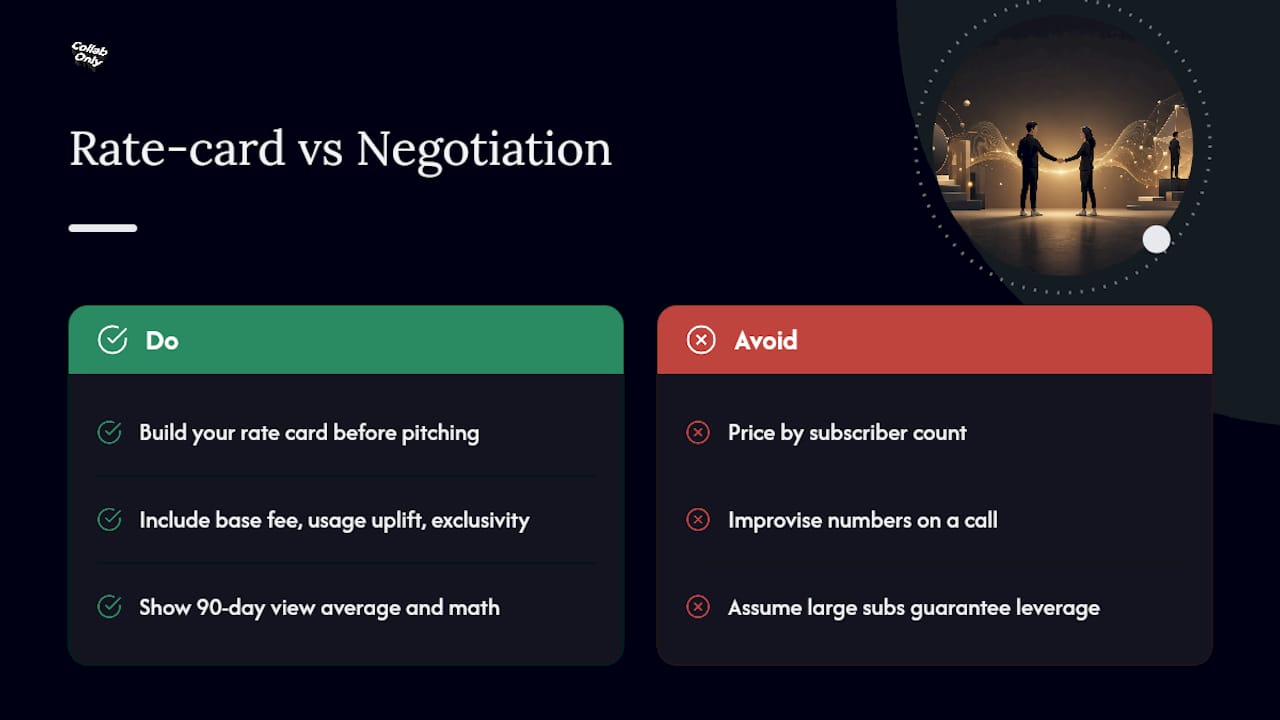
The conventional wisdom that subscriber count sets your price is where most new creators lose money, either by underpricing a small but loyal audience or by assuming a large sub count guarantees leverage it doesn't have anymore. Brands stopped paying for subscriber counts years ago. They pay for the 90 day view average, and increasingly, for whether you can produce a rate card that shows your math.
If you take one thing from this article, prioritize building that rate card before your next pitch, not after a brand asks for your price. Creators who show up with a base fee, a usage uplift, and an exclusivity tier already defined close faster and leave less money on the table than those improvising a number on a call. The formula matters, but the packaging around it is what actually gets deals signed.
— Samuel
Find Sponsors Faster With Collabonly's Matching Marketplace
Collabonly cuts out the cold outreach that eats weeks of a creator's time chasing brand emails that never get answered. Instead of building a media kit and hoping it lands in the right inbox, you swipe into a pool of brands actively looking for creators in your niche, and matches open an instant chat instead of a stalled DM thread.
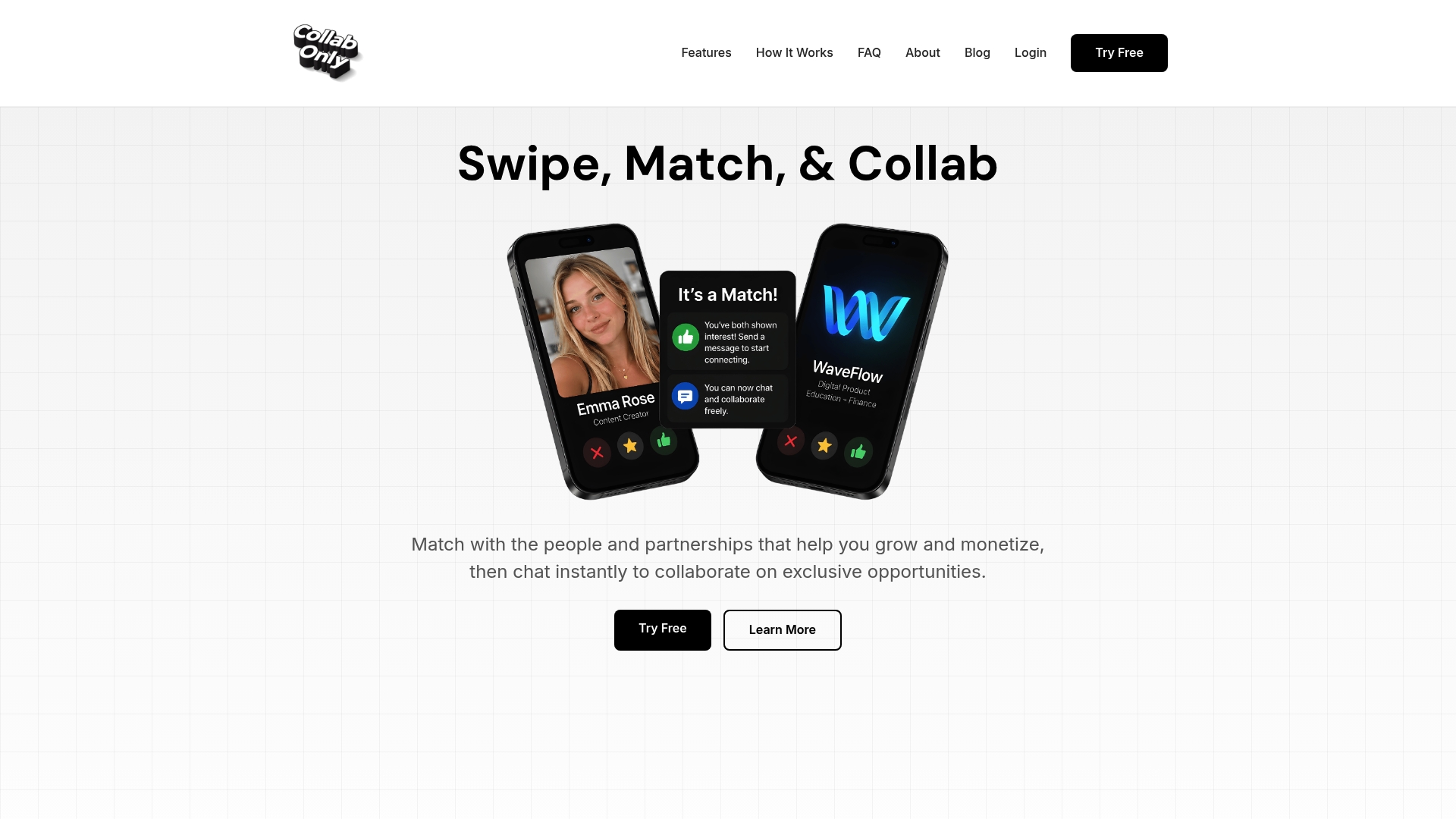
Marketplace matches tend to close faster because both sides arrive with clearer expectations. A brand searching specifically for nano and micro creators has already budgeted for that tier, so you're negotiating format and add-ons instead of convincing them your audience size is worth their spend at all. That's a materially different conversation than a cold pitch. If you're a smaller channel ready to put the pricing method in this article to work, Collabonly's nano influencer marketplace is built specifically for that tier of creator, and setting up a profile takes less time than drafting one outreach email.
Sources
- FTC's Endorsement Guides: What people are asking
- YouTube Sponsorship Rates — Complete 2026 Guide + Calculator
- YouTube Sponsorship Rates 2026: What to Charge by Niche, Subs, and CPM | OutlierKit Resources
- How Much to Charge for a YouTube Sponsorship: Creator Rate Guide
FAQ
How much should I charge for a YouTube sponsorship?
Multiply your average recent views (in thousands) by your niche CPM, then apply a format multiplier. A 40,000 average-view tech channel at a $35 CPM running a standard integration lands near $1,400 before add-ons.
How much do YouTube sponsors pay per 1,000 views?
Sponsorship CPMs generally run from $15 to $80 per 1,000 views, with finance and B2B niches at the top and lifestyle or gaming content at the lower end.
How many YouTube views do I need to make $3,000 per month?
Using the same $40 CPM baseline, typical sponsored views clear amounts proportional to recent averages through standard integrations, or fewer views if you're pricing dedicated videos or bundling exclusivity surcharges.
Do I need to disclose sponsored content on YouTube?
Yes. FTC endorsement guidance requires clear, prominent disclosure of any material connection with a sponsor, both in the video itself and in the description.
Recommended
- YouTube Sponsorship Formats Explained: Dedicated Videos, Mid-Rolls, Shorts & More (2026) - Collab Only
- How to Price Brand Collaborations: Creator Rate Guide 2026 - Collab Only
- How to Approach YouTube Creators for Sponsorship in 2026 - Collab Only
- How to Get Sponsored as a SaaS YouTube Reviewer (2026 Guide) - Collab Only