

Yes: Affiliates and Partners can access sponsorships directly through Twitch's Sponsorship Portal, and getting discovered starts with three moves. Open the Sponsorships tab under Monetization in your Creator Dashboard, finish your Creator Profile, and complete Creator Sponsorship Certification. Third-party integrations like StreamElements and Wehype also surface offers once those pieces are in place, so treat setup as the gate, not an afterthought.
TL;DR:
- Affiliates need to complete Creator Sponsorship Certification to unlock exclusive and invite-only campaigns, which provides a 12-hour early access window.
- Campaigns are structured as exclusive, open-invite, or third-party, with performance-based deals paying based on completed views rather than flat fees.
- Accepting sponsorships requires verifying terms and timely delivery, and proper disclosure including verbal mention and stream labels.
- Building a strong creator media kit and pitching brands directly outside the portal can significantly increase sponsorship opportunities.
- Engagement metrics like average concurrent viewers and chat activity matter more to brands than follower counts, emphasizing real-time audience engagement.
Table of Contents
- How Does the Twitch Sponsorship Portal Work?
- Who Is Eligible for Creator Sponsorship Certification?
- What Types of Sponsorship Campaigns Will You See?
- How Do You Accept and Complete a Sponsorship Campaign?
- How Do You Pitch Brands Outside the Sponsorship Portal?
- What Engagement Metrics Do Brands Actually Care About?
- What Pitfalls and Red Flags Should You Watch For?
- Why Sponsorships Should Be One Channel, Not the Whole Plan
- Get More Brand Deals Beyond the Sponsorship Portal
- Sources
- FAQ
How Does the Twitch Sponsorship Portal Work?
The Portal sits under Monetization → Sponsorships in your dashboard, and the first thing you'll do is accept the portal terms before anything unlocks. From there, three tabs run the show.
- Browse shows every available campaign you're eligible for, sorted by type.
- Manage tracks campaigns you've accepted, deliverables owed, and status updates.
- Creator Profile holds your stats, categories, and audience data that brands see when scouting talent.
Exclusive and third-party campaigns typically arrive as notifications inviting you to apply, while Open-Invite campaigns sit in Browse on a first-come, first-served basis. Build a five-minute daily habit: check notifications, confirm your profile numbers are current, and scan Open-Invite listings before they fill.
Pro Tip: Set a recurring reminder to check Browse right after your stream ends. Open-Invite slots tied to trending games fill within hours, and late applicants get nothing.
Who Is Eligible for Creator Sponsorship Certification?
Both Partners and Affiliates can now receive sponsorship invitations, a shift Twitch confirmed when it opened sponsorships to Affiliates. Affiliates specifically need Creator Sponsorship Certification to unlock certain invite-only campaigns, and even Partners benefit from the credential.
Certification is earned through Creator Camp and delivers three concrete advantages:
- A visible certification badge that advertisers see when scouting the Portal.
- A 12-hour head-start window on select opt-in campaigns before uncertified creators can apply.
- A defined recertification cycle, since the credential stays valid for 12 months before you need to renew.
Enroll through Creator Camp, complete the Sponsorships 101 module covering campaign types and disclosure rules, then update your Creator Profile so the badge actually displays.
What Types of Sponsorship Campaigns Will You See?
Twitch's Portal runs three campaign structures, and knowing which one you're looking at determines whether a deal is worth your time.
- Exclusive campaigns are invite-only, usually flat-fee, and often tied to a single brand wanting dedicated airtime.
- Open-Invite campaigns (the format formerly known as Bounty Board) pay based on Completed Views, meaning your payout scales with actual performance rather than a fixed rate.
- Third-party campaigns route through partner integrations such as StreamElements, which surface additional sponsored opportunities directly inside your dashboard.
Deliverables vary by structure but commonly include channel skins, streamer-read ad copy, sponsored subscription pushes, and giveaways, sometimes with category restrictions attached. Before accepting anything, check the payout model against your typical average concurrent viewers. A performance-based deal only pays well if your retention actually holds through the sponsored segment.
How Do You Accept and Complete a Sponsorship Campaign?
Once you've spotted a campaign worth pursuing, treat acceptance as a contract review, not a formality.
- Confirm the terms first. Verify the fee or payout model, exact deliverables, air dates, and any category restrictions before clicking accept.
- Launch deliverables through the Sponsorship Tool. This quick action inside Stream Manager triggers the correct overlay, ad break, or mention timing, so setup accuracy matters more than it looks.
- Disclose properly on stream. Twitch automatically flags sponsored content with an "includes paid promotion" label, but you're still expected to verbally disclose the partnership, and your Auto-Mod level should be tuned to catch any chat confusion around the ad.
- Track completion through Manage. Payouts for Open-Invite campaigns estimate using your historic average viewership, then finalize based on actual Completed Views after a moderation review.
Statistic Callout: Twitch's own documentation confirms that Open Invitation payouts run through a moderation check before finalizing, so revenue visible on your dashboard mid-campaign is an estimate, not a guarantee. Expect payout on Twitch's standard monthly cadence once moderation clears.
How Do You Pitch Brands Outside the Sponsorship Portal?
The Portal is a floor, not a ceiling. Your Creator Profile can be exported as an infographic, and that export becomes the backbone of a one-page media kit you send directly to brands who never post in the Portal at all.
A pitch-ready kit needs specific fields: average concurrent viewers, audience demographics, streaming cadence, cross-platform social reach, and results from any past campaigns you've run. Package it with two or three tiered options showing deliverables and pricing side by side, so a brand marketer can decide in one read.
When you reach out, structure the message tight: a short opener, one line stating your value clearly, and one specific activation idea, like an integrated product demo segment or an interactive giveaway tied to a stream milestone. Our guide on building a creator media kit walks through formatting each section.
Pro Tip: Never send a generic "let's collab" message. Brands ignore vague outreach and respond to a single, specific activation idea they can picture running live.
What Engagement Metrics Do Brands Actually Care About?
Follower count used to be the headline number. It isn't anymore. Brands scouting Twitch talent now weigh engagement quality over raw audience size, and that shift changes what you should be measuring.
- Average concurrent viewers (ACV) shows real-time attention, not follower vanity metrics.
- Chat activity and retention signal whether your audience actually watches through a sponsored segment.
- Clip performance demonstrates content that travels beyond the live broadcast.
- Cross-platform amplification shows brands their message reaches audiences outside Twitch too.
Present this evidence honestly: use 90-day averages rather than a single lucky stream, and note percentiles where you can. Community activations off-stream, curated highlight reels, and scheduled recap posts all extend a sponsor's value past the broadcast window, which is exactly the kind of proposal that wins repeat deals. A related breakdown on brand deals for esports creators covers niche-specific examples worth adapting.
What Pitfalls and Red Flags Should You Watch For?
Passive discovery is the most common trap: creators who only wait on Portal notifications leave money on the table compared to those who also pitch directly. Watch for these warning signs before signing anything.
- Mismatched sponsors that clash with your content or audience values, damaging trust for a short-term check.
- Vague deliverables with no clear count, timing, or format specified in writing.
- Restrictive exclusivity clauses that block you from other categories for months after a single campaign.
- Unclear payment timing or missing disclosure guidance, both signs the brand hasn't run creator deals before.
Negotiate before you sign, not after. Ask for written payout terms, clarify every deliverable in specific language, and propose scaled compensation tied to performance if the brand hesitates on a flat fee.
Why Sponsorships Should Be One Channel, Not the Whole Plan
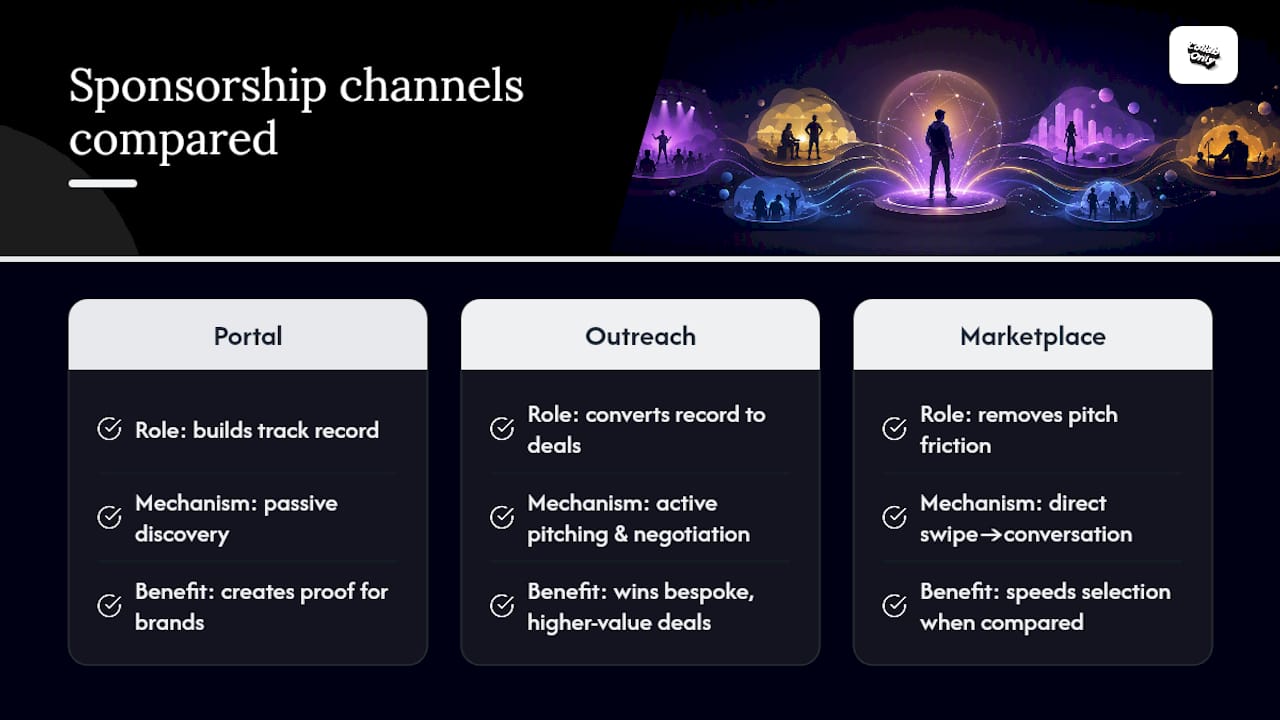
Relying on the Portal alone means waiting for brands to find you. Collabonly's view is straightforward: sponsorships work best as one revenue channel inside a diversified creator business, not the entire model. Portal wins build the track record; outreach converts that record into bespoke, higher-value deals.
A matching marketplace removes the friction that kills most cold pitches, the slow email threads and buried DMs, letting you move straight from swipe to conversation. That speed matters when a brand is comparing five creators for one activation slot.
— Samuel
Get More Brand Deals Beyond the Sponsorship Portal
Collabonly gives creators a faster route to brand deals than waiting on Portal notifications alone. Once your Creator Profile and media kit are ready, Collabonly's matching system connects you directly with brands looking for creators in your category, with instant chat replacing the slow back-and-forth of email pitches.
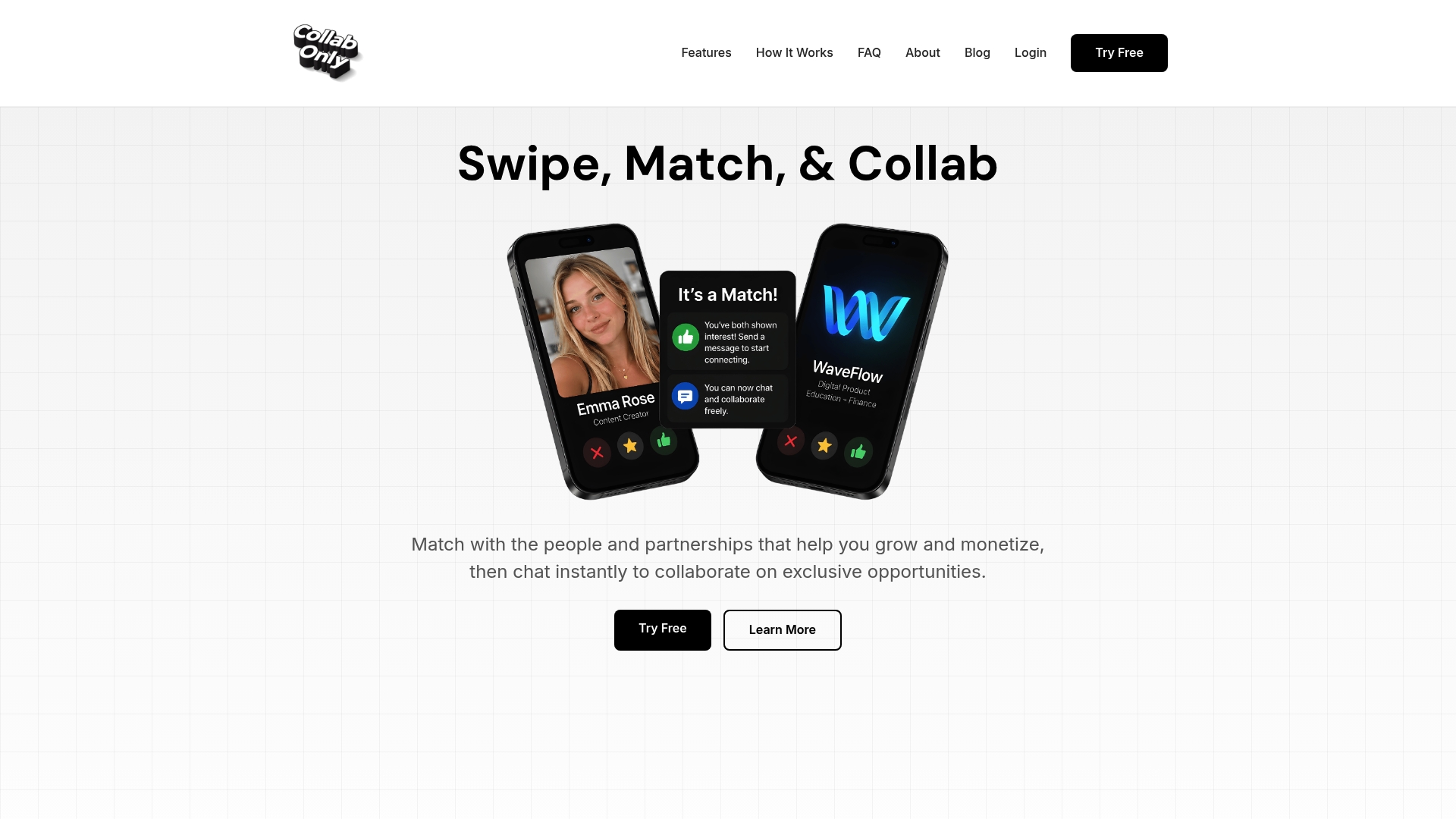
You control which brands you see and skip the ones that don't fit your channel, whether you stream on Twitch or run campaigns across TikTok, Instagram, and YouTube too. Pair your certification badge and exported Creator Profile with a Collabonly presence, and you widen your pipeline well past what the Portal surfaces on its own. Explore nano-influencer opportunities on Collabonly or check out the UGC creator platform to set up your profile and start matching with brands this week.
Sources
- Sponsorship Portal Overview — Twitch Help
- Sponsorships Are Now Available to Affiliates — Twitch Blog
FAQ
How Do I Get Sponsorships on Twitch?
Complete your Creator Profile and Creator Sponsorship Certification, then check the Sponsorship Portal's Browse tab daily for Open-Invite and Exclusive campaigns while also pitching brands directly using an exported media kit.
Can You Make $1,000 a Month on Twitch From Sponsorships?
It's possible for Affiliates and Partners with consistent viewership and an active certification badge, though Open-Invite payouts scale with Completed Views, so income depends heavily on your average concurrent viewers rather than a fixed rate.
Can You Get Paid Sponsorships on Twitch as an Affiliate?
Yes. Twitch opened sponsorships to Affiliates, though completing Creator Sponsorship Certification is required for eligibility on certain invite-only campaigns.
How Many Viewers Do You Need to Earn Significant Sponsorship Income?
There's no official viewer threshold published by Twitch. Higher and more consistent average concurrent viewers directly increase Completed Views payouts and make you more attractive for Exclusive and off-platform deals alike.
Where Can I Find Additional Brand Deals Beyond the Portal?
Platforms like Collabonly let you pitch brands directly using your Creator Profile and media kit, supplementing Portal offers with matched opportunities across Twitch, TikTok, Instagram, and YouTube.