

A creator media kit is a concise, brand-facing document that communicates your niche positioning, audience profile, platform performance, content quality, and collaboration options in a single, scannable package. Every effective kit includes eight core elements: a positioning statement, audience snapshot, platform stats, content examples, proof or case data, partnership options, usage rights notes, and contact details.
Required sections at a glance:
- Creator overview: niche, positioning statement, headshot, and social handles
- Audience snapshot: location, age range, top interests, and buyer intent signals
- Platform stats: followers, reach, average views, engagement rate, saves, and link clicks
- Content examples: 3–6 best-performing posts with captions and metrics
- Proof: testimonials, click/sales figures, or affiliate conversion data
- Partnership options: sponsored posts, UGC, affiliate, and ambassadorship packages
- Usage rights: brief note on licensing terms
- Contact details: business email, booking link, and preferred brief process
One-line workflow: Write your positioning statement, pull current analytics, select your best content examples, add proof and packages, design the layout, then export and share.
Format guidance: Aim for 1–3 pages. Publish a PDF for attachments and a hosted live link for pitches. One page works for most creators starting out; expand to 2–3 pages only when you have case study proof worth showing.
Pro Tip: Keep a master editable file at all times. Export the PDF from it and update the hosted link every time your metrics shift materially.
Key Takeaways
A professional creator media kit, kept current and paired with a clear pitch, is the most direct path to consistent brand partnership opportunities.
| Point | Details |
|---|---|
| Lead with positioning | Open with a one-to-two-sentence statement that tells brands exactly who you serve and why. |
| Date-stamp all metrics | Stale analytics undermine credibility; update platform stats every 3–6 months or after major campaigns. |
| Use both PDF and hosted link | Export a PDF for attachments and publish a live hosted link for pitches and profile bios. |
| Show starting rates | Micro creators benefit from listing "starting from" rates to filter inquiries and signal professionalism. |
| Collabonly for discovery | Add your hosted kit link to your Collabonly profile so matched brands can access your full kit instantly. |
Table of Contents
- How to build a creator media kit in 6 steps
- What to put in each section of your media kit
- How to design your media kit for maximum readability
- Which tools and templates should you use?
- How to present rates and packages without losing deals
- How to share your media kit and pitch effectively
- Two real-world media kit examples you can copy
- Why starting with a one-page kit is the right move
- Collabonly connects your media kit to brands actively looking
- Sources
- FAQ
How to build a creator media kit in 6 steps
A working media kit does not require weeks of design work. Most creators can produce a functional, professional version in a single afternoon by following these steps in order.
-
Define your positioning and campaign fit (15 minutes). Write one to two sentences that state your niche, your audience's defining characteristic, and the type of brand you serve best. Open your platform's creator dashboard and confirm which content category drives the most engagement. That category is your positioning anchor.
-
Pull up-to-date platform analytics (20 minutes). Export screenshots or PDF reports directly from Instagram Insights, TikTok Analytics, or YouTube Studio. Record followers, 30-day reach, average views per post, engagement rate, saves, and link clicks. Date-stamp every figure so brands know the data is current.
-
Select 3–6 best content examples (20 minutes). Choose posts that represent your strongest creative work and your highest performance numbers. Prioritize examples that align with the brand categories you want to attract. Include the post metric (views, saves, or engagement rate) alongside each example.
-
Add proof, case data, or performance signals (15 minutes). Pull any testimonial from a past brand partner, a screenshot of affiliate conversion data, or a click-through rate from a sponsored post. If you are early-stage, a strong organic performance stat serves the same function.
-
Create 2–3 partnership packages or starting-at rates (15 minutes). Define what each package includes (deliverables, platform, timeline) and assign a starting price or rate range. Label rates as "starting from" to signal flexibility without anchoring too low.
-
Export as PDF and publish a hosted link (10 minutes). Save the master editable file in Canva, Visme, or Adobe Express. Export a PDF for email attachments and publish a shareable hosted link for pitches and profile bios.
Pro Tip: Smaller creators generally benefit from listing starting rates, which can filter low-budget inquiries and signal professionalism. Mid-tier creators with established brand relationships often prefer custom quotes only.
What to put in each section of your media kit
Brands reviewing a creator's kit are solving a specific problem: does this creator reach the audience we need, and can they produce content that converts? Every section should answer part of that question directly.
Creator overview
Open with your name, niche, and a one-to-two-sentence positioning statement that tells a brand manager exactly who you serve and why your content resonates. Include a professional headshot and your active social handles with platform icons. Avoid a lengthy biography. The goal is immediate recognition of fit, not a career history.
Audience snapshot
Translate raw analytics into brand-relevant language. Include location split (top countries or cities), age range, top interests, and any buyer intent signals your analytics surface.
Understanding what brands look for in creator materials makes this translation step significantly more precise.
Platform stats
List every active platform with its current metrics. The fields that matter most to brand partners are followers, 30-day reach, average views, engagement rate, saves, and link clicks. Date-stamp all figures. Stale numbers are one of the most common reasons a kit loses credibility.
| Field | What to include |
|---|---|
| Followers | Current count per platform, date-stamped |
| 30-day reach | Unique accounts reached in the last 30 days |
| Average views | Mean views per post or video over last 30 posts |
| Engagement rate | (Likes + comments + saves) / followers, as a percentage |
| Saves | Particularly relevant for Instagram and Pinterest |
| Link clicks | From bio link or story swipe-up, where available |
| Audience location | Top 3 countries or cities by percentage |
| Audience age range | Primary and secondary age brackets |
Content examples
Select 3–6 posts that demonstrate both creative quality and measurable performance. Show the post visual, a one-line caption summary, and the key metric (views, saves, or engagement rate). When presenting UGC alongside produced content, label each type clearly. Brands commissioning UGC have different briefs than those seeking editorial-style posts.

Proof and case studies
A testimonial from a past brand partner, a screenshot of affiliate conversion data, or a documented click-through rate from a sponsored campaign all serve as proof. If specific numbers are confidential, redact the brand name and show the performance metric alone.
Brands evaluate proof signals carefully when deciding whether to move forward with a creator, making this section worth the extra effort to populate.
Partnership options and usage rights
List the collaboration formats you offer: sponsored posts, UGC packages, affiliate arrangements, and long-term ambassadorship. For each, note the platform, deliverable count, and any usage rights included. Usage rights language does not need to be legal-grade in the kit itself. A short phrase such as "30-day paid social usage included; extended licensing available" communicates the key terms without requiring a contract at the pitch stage.

Contact and CTA
Close with a business email address, a booking link (Calendly or equivalent), and a one-line note on your preferred brief process and typical turnaround time. Make this section impossible to miss. Brands who cannot find contact details within seconds move on.
Pro Tip: Translate every demographic figure into a brand-relevance sentence before finalizing the audience snapshot. "Audience is 18–24, college-enrolled, geo-concentrated in the Northeast" is far more useful to a brand than a raw age-range percentage.
How to design your media kit for maximum readability
Format and layout determine whether a brand reads your kit or closes it. Adobe Express's media kit guidance recommends prioritizing visual hierarchy, readable type sizes, high-contrast color, and file types that preserve layout across devices.
Length and format
A one-page kit works for creators who are pitching a single platform or a narrow niche. A 2–3 page deck suits mid-tier creators with multiple platforms, case study proof, and tiered packages. A full case-study deck (4+ pages) is appropriate only when a brand has requested detailed campaign history. Default to shorter.
PDF is the standard attachment format because it preserves layout across devices and email clients. A hosted live link, however, lets you update metrics without resending a file, and many brand managers prefer it for that reason. The strongest approach is both: a PDF for the email attachment and a hosted page for the pitch link.
Design rules
- Use no more than two typefaces: one for headings, one for body text. Minimum 11pt for body copy.
- Maintain a color palette of two to three colors drawn from your personal brand. High contrast between text and background is non-negotiable for readability.
- Give each section breathing room. Crowded screenshots and dense text blocks signal a lack of editorial judgment.
- Place contact details on every page, not just the last one.
- Test the PDF on a mobile screen before sending. Many brand managers review kits on their phones.
Accessibility and mobile-first considerations
Use alt text on images if publishing a hosted version. Single-column layouts render more reliably on mobile than multi-column grids. Avoid embedding text inside images, as it becomes unreadable when scaled down.
Pro Tip: Save a master editable file in your design tool of choice. Export the PDF from that master and publish a hosted link from the same source. Updating one file keeps both versions current.
| Format | Best for | Key limitation |
|---|---|---|
| Email attachments, formal pitches | Metrics go stale between sends | |
| Hosted live link | Profile bios, pitch follow-ups | Requires a builder or web page |
| Slide deck | Presentations, agency reviews | Less portable than PDF |
Dos and don'ts:
- Do use high-resolution images and screenshots
- Do include a clickable table of contents in multi-page kits
- Do name your file with your handle and the year (e.g., CreatorName_MediaKit_2026.pdf)
- Don't bury contact information on the last page only
- Don't use more than three font sizes in a single layout
- Don't submit a kit with metrics that are more than three months old
Which tools and templates should you use?
The right tool depends on your design confidence, the format you need, and whether you want a hosted link or a PDF-only kit.
Canva is the most accessible starting point for creators without design experience. Its free media kit templates cover one-page and multi-page formats, and the drag-and-drop editor requires no prior design skill. PDF export is straightforward. The free tier covers most creator needs; Canva Pro adds brand kit features and additional template access.

Visme offers more design flexibility than Canva, with animation options and interactive elements that suit creators who want a polished, brand-agency aesthetic. The Visme media kit maker includes templates specifically built for influencers and content creators. Its free tier is functional, though export options expand on paid plans.
Adobe Express sits between Canva and professional design software. Templates are high-quality and the interface is approachable, making it a strong choice for creators who want a more distinctive visual output without learning Illustrator or InDesign.
Google Slides and PowerPoint are viable for creators who prefer working in familiar tools. Neither offers media-kit-specific templates natively, but the HubSpot media kit template is available as a downloadable slide deck that can be adapted in either application.
Notion works well as a hosted media kit page for creators who want a clean, text-forward presentation with embedded links and live metrics. It is not a design tool, but its simplicity can be an advantage for creators whose brand identity is minimal and editorial.
Pitchlo is a dedicated media kit builder that publishes a hosted, shareable page alongside a downloadable PDF. For creators who prioritize keeping metrics current without resending files, a hosted-kit builder like Pitchlo removes that friction entirely.
Figma community files, including the Content Creator Media Kit Template, are best suited for creators who collaborate with freelance designers or who want maximum layout control.
Recommendation by creator stage:
- Starter (under 10K followers): Canva free tier, one-page template
- Growth (10K–100K followers): Visme or Adobe Express, 2-page deck plus hosted link
- Professional (100K+ followers): Pitchlo or Figma, hosted profile plus downloadable PDF
Pro Tip: Wherever you host your kit, add the live link to your Collabonly profile. Brand partners browsing the platform can access your full kit instantly, without a cold email exchange.
How to present rates and packages without losing deals
Pricing presentation is one of the most consequential decisions in a media kit. Getting it wrong costs you deals at both ends: too vague and brands move on, too specific and you anchor below your actual value.
Micro creators generally benefit from listing starting rates. It filters low-budget inquiries and signals that you treat content creation as a professional service. Mid-tier and established creators often omit fixed rates and invite custom briefs instead, preserving negotiation flexibility.
Sample package structures (illustrative starting points, not universal rates):
- Single sponsored post: One in-feed post on one platform, caption and hashtags, 24-hour story support. Label as "starting from [your rate]."
- UGC bundle: Three to five raw content assets delivered for brand use, no posting required. Useful for brands running paid social. Label as "starting from [your rate]."
- Short-term ambassadorship: Four posts over 30 days across one or two platforms, story mentions, and one product review. Label as "starting from [your rate]" with a note that final pricing depends on usage rights and exclusivity.
Factors that change your rate:
- Number and type of deliverables
- Usage rights (organic only vs. paid social vs. out-of-home)
- Exclusivity period (category exclusivity commands a premium)
- Production complexity (studio shoot vs. phone-shot UGC)
- Timeline (rush delivery adds cost)
- Performance guarantees or affiliate structures
Label rates as "starting from" rather than fixed prices. Include a short line such as: "Final pricing depends on deliverables, usage rights, and campaign timeline. Custom quotes available on request." This keeps the door open for negotiation without signaling that your rates are arbitrary.
Pro Tip: Add a brief note on add-ons, such as rush fees or usage buyouts, as line items rather than burying them in a footnote. Brands appreciate transparency, and it prevents awkward renegotiation after a brief is submitted.
How to share your media kit and pitch effectively
A well-designed kit that never reaches the right person produces no results. Distribution strategy matters as much as content quality.
PDF vs. hosted link: Attach a PDF when a brand has specifically requested one or when you are applying through a formal submission portal. For cold outreach and profile links, a hosted live link is preferable. Hosted, shareable pages keep metrics current and give brands clickable examples without requiring a file download.
Pitch email structure:
- One sentence on who you are and your niche
- One sentence on why this brand is a specific fit (reference a product, campaign, or audience overlap)
- One sentence on what you are proposing
- A link to your hosted media kit
- A clear next step: "Happy to send a PDF or jump on a 15-minute call this week."
Keep the pitch to five sentences or fewer. Brands receive dozens of pitches weekly; a concise, specific message with a clear CTA outperforms a detailed pitch letter every time.
Distribution checklist:
- Add the hosted kit link to your Instagram bio, TikTok bio, and YouTube about section
- Include the link in your Collabonly profile so matched brands can access it immediately
- Use a link manager (Linktree or equivalent) to keep the URL stable even if you change builders
Follow-up cadence: Send one follow-up five to seven business days after the initial pitch. Keep it to two sentences: a brief restatement of the opportunity and a direct question about timing or interest. A second follow-up after another seven days is reasonable; beyond that, move on.
Common outreach mistakes:
- Pitching without referencing a specific product or campaign (signals mass outreach)
- Sending a kit with no clear CTA or next step
- Attaching a PDF with no accompanying pitch note
- Following up the next day (signals desperation, not urgency)
Pro Tip: Pair your kit with a detailed pitch strategy that personalizes the opening line for each brand. A generic opener undercuts even the strongest media kit.
Two real-world media kit examples you can copy
One-page sample: small creator (under 25K followers)
This format works when you have one or two active platforms, a clear niche, and limited case study proof. Hootsuite's influencer media kit guide confirms that a concise, brand-focused one-pager with clear audience data outperforms a lengthy historical CV for most creators at this stage.
Page layout (top to bottom):
- Headshot + name + niche tagline (e.g., "Sustainable home and lifestyle | Instagram + TikTok")
- Positioning statement: "I create content for eco-conscious homeowners aged 28–40 who are actively purchasing sustainable products."
- Platform stats block: followers, engagement rate, average views, date-stamped
- Audience snapshot: top location, age range, top interests, one brand-relevance sentence
- Three content example thumbnails with one metric each
- Two package options with starting rates
- Contact: business email + booking link
Three-page sample: mid-tier creator (25K–150K followers)
Page 1: Overview and audience
- Full creator overview with positioning statement and headshot
- Audience snapshot with demographic breakdown translated into brand-relevance language
- Platform stats across all active channels, date-stamped
Page 2: Metrics and content examples
- Detailed performance metrics per platform
- Four to six content examples with captions and metrics
- One UGC example and one produced-content example, labeled separately
Page 3: Packages, proof, and contact
- Two to three partnership packages with starting rates and deliverable lists
- One case study or testimonial with a concrete performance metric
- Usage rights note
- Contact details, booking link, and preferred brief process
Pro Tip: Before sending your kit to a target brand, share it with one friendly brand contact and ask three questions: Is the audience data clear? Are the packages easy to understand? Is the contact information obvious? Their answers will surface gaps faster than any self-review.
Why starting with a one-page kit is the right move
The instinct to build a comprehensive, multi-page media kit before reaching out to brands is understandable but often counterproductive. A one-page kit forces clarity: you cannot hide weak positioning behind extra pages, and brands can evaluate fit in under 60 seconds.
For micro creators, a concise kit that leads with a sharp positioning statement and a single strong performance metric opens more doors than a dense deck that buries the key data. The upgrade path is straightforward: once you have one documented campaign result, a testimonial, or a meaningful shift in your metrics, you have the material to build a second page. Case study proof earns the right to more space, not the other way around.
Creators who scale brand partnerships consistently maintain a website-hosted kit alongside a downloadable PDF, updating both every 3–6 months or after any campaign that materially changes their numbers. The one-page starter is not a lesser version of the kit. For most creators, it is the most effective version they will ever send.
Collabonly connects your media kit to brands actively looking
Cold outreach is one route to brand deals. A faster route is being discoverable by brands who are already searching for creators like you.
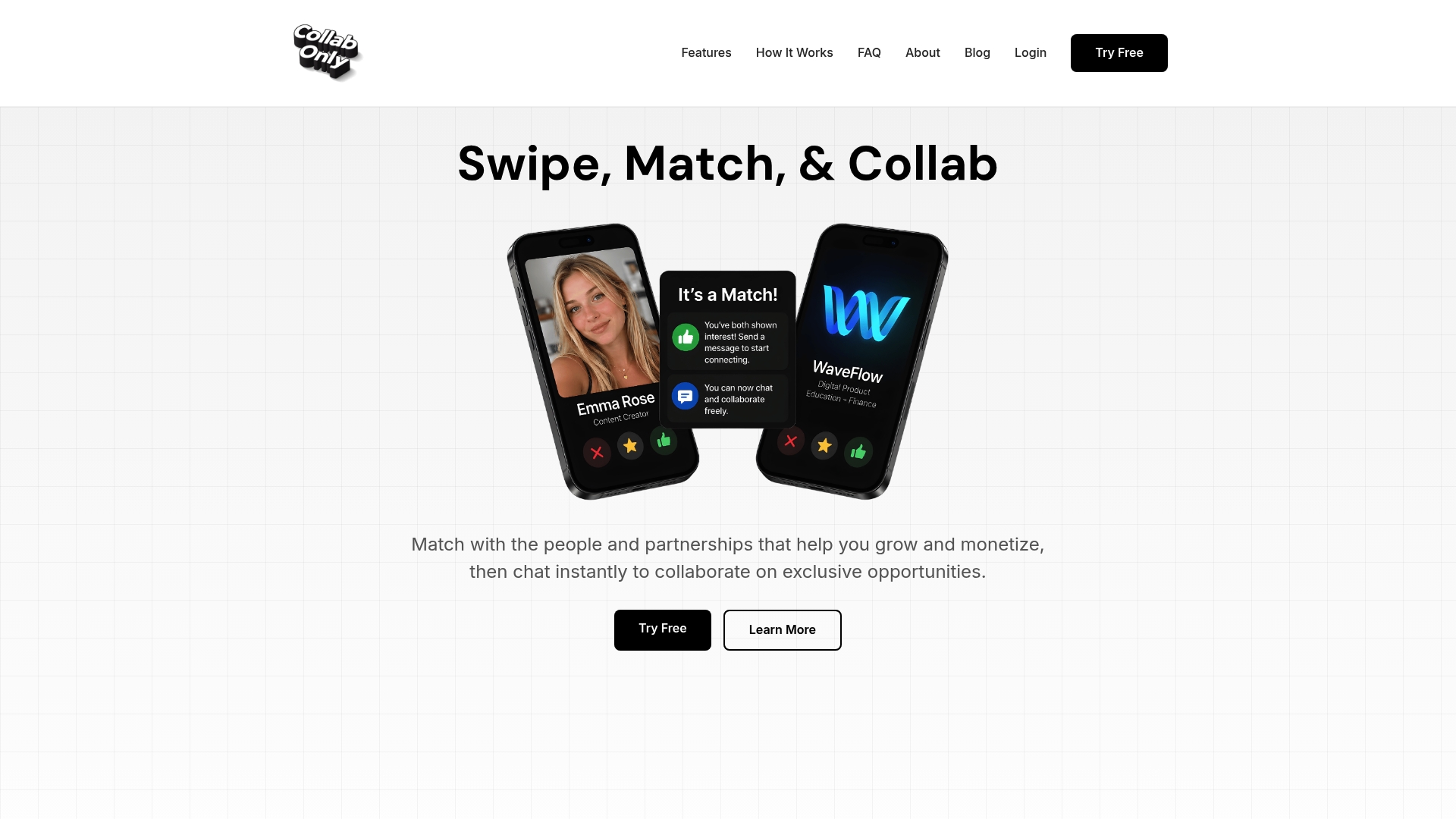
Collabonly's matching platform connects brands, businesses, and creators through a swipe-based interface that surfaces relevant partnerships without the friction of unanswered DMs or slow email threads. When a match is made, instant chat opens immediately, so the conversation starts while interest is high. For nano influencers and micro influencers, this means your media kit reaches brand managers who are actively evaluating creators in your niche, not sitting in an inbox waiting for a reply. Add your hosted kit link directly to your Collabonly profile, set your discovery preferences, and let inbound match requests supplement your outbound pitching. Sign up at Collabonly and make your kit work while you create.
Sources
Free templates and builder tools to start immediately:
- What Is a Creator Media Kit? What to Include
- Influencer media kit 101: Free template and expert tips
- How to create a standout media kit with free templates
- Media Kit Builder — Free Media Kit Maker & Template Export | Pitchlo
Pick one template, replace the placeholder content with your own data, export a PDF, and publish a hosted link. That sequence, completed in one sitting, produces a working kit.
FAQ
What should a creator media kit include?
A creator media kit should include a positioning statement, audience snapshot, platform stats, content examples, proof or case data, partnership options, usage rights notes, and contact details, as outlined by The Creator Insider.
How long should a creator media kit be?
One page is effective for most creators, particularly those with a single platform focus or limited case study proof. Expand to 2–3 pages only when you have documented campaign results and tiered packages to show.
Should I include my rates in my media kit?
Micro creators generally benefit from listing starting rates to filter low-budget inquiries. Mid-tier and established creators often prefer custom quotes, listing rates as "starting from" or inviting brands to submit a brief.
How often should I update my media kit?
Update your kit every 3–6 months or after any campaign that materially changes your metrics. Keep a master editable file so updates take minutes rather than hours.
How does Collabonly help creators get brand deals?
Collabonly matches creators with brands through a swipe-based interface and instant chat, so your media kit reaches brand managers who are actively searching for creators in your niche, bypassing the delays of cold email outreach.