

TL;DR:
- Real-time collaboration involves team members working simultaneously in a shared digital environment with instant updates. It boosts productivity by nearly 33% and becomes the operational standard for remote or hybrid teams in 2026. Success depends on integrated tools, clear team protocols, and fostering trust and transparency.
Real-time collaboration is defined as synchronous teamwork within a shared digital environment where multiple participants edit, communicate, and make decisions simultaneously with instant updates. The industry term for this model is "synchronous collaboration," and understanding the distinction matters: while asynchronous methods allow team members to contribute independently on their own schedule, real-time collaboration requires shared presence and low-latency interaction. Teams that adopt this model increase productivity by nearly 33% by cutting the back-and-forth communication that slows distributed work. For professionals managing remote or hybrid teams in 2026, synchronous collaboration is no longer a convenience. It is the operational standard.
What is real-time collaboration and how does it work?
Real-time collaboration works by connecting team members through a shared digital workspace where every action, edit, or message appears instantly for all participants. The technical foundation relies on low-latency networking combined with synchronization algorithms such as Operational Transformation (OT) and Conflict-free Replicated Data Types (CRDT). These algorithms resolve simultaneous edits without data loss, which is why two people can type in the same document at the same moment without overwriting each other's work.

Shared presence features are the defining characteristic that separates real-time collaboration from simply sharing files. Live cursors show exactly where each team member is working. Floating avatars signal who is active in a document or task board. Instant commenting threads allow feedback without switching to email. Together, these features create what practitioners describe as a "digital office feel," reducing the isolation that commonly affects remote teams.
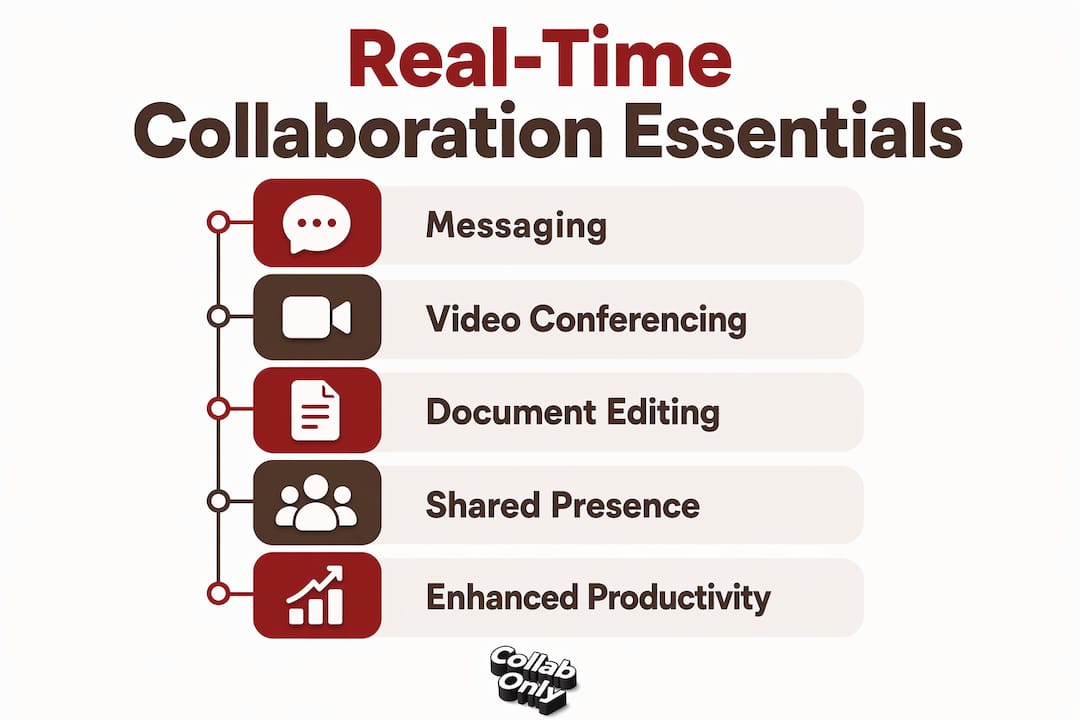
The technology stack that supports this model typically includes three integrated layers: persistent messaging, video conferencing, and co-authoring document tools. When these layers operate in a unified workspace rather than as disconnected applications, teams maintain a single source of truth. Fragmented stacks, where chat lives in one app, documents in another, and video in a third, create information silos that negate the speed advantage of synchronous work.
Pro Tip: Audit your current tool stack before adding new software. If your messaging, video, and document editing tools do not share a unified notification and search layer, your team is already losing the core benefit of real-time collaboration.
What technologies and tools enable real-time collaboration today?
The core technologies behind modern real-time collaboration tools fall into four functional categories:
- Persistent messaging: Channel-based or threaded messaging that keeps conversation history searchable and contextual, replacing most internal email.
- Video and audio conferencing: Low-latency video calls with screen sharing, enabling synchronous brainstorming and decision-making regardless of geography.
- Co-authoring and document editing: Shared documents, spreadsheets, and presentations where multiple users edit simultaneously with visible cursors and tracked changes.
- Synchronized task and project boards: Kanban or list-based boards that update in real time as team members move tasks, add comments, or change statuses.
Integrated collaboration stacks that combine all four categories outperform disconnected point solutions. The reason is straightforward: when a team member receives a comment notification, clicks through to the document, and can immediately message a colleague without leaving the workspace, the feedback loop closes in seconds rather than hours. Platform-based approaches to collaboration technology are increasingly the standard for marketing and content teams that manage multiple concurrent projects.
Understanding team collaboration in CRM environments also illustrates how real-time principles extend beyond document editing into client management, campaign tracking, and revenue workflows. The same synchronization logic that powers co-authored documents applies to shared CRM pipelines where sales and marketing teams update records simultaneously.
What are the main benefits of real-time collaboration for teams?
The productivity gains from synchronous collaboration are measurable and significant. Teams that transition to integrated real-time platforms save over 8 hours per week per team member by eliminating manual version control and reducing the volume of status meetings. Eight hours per person per week compounds quickly across a team of ten: that is 80 hours of recovered capacity every week.
The core benefits of real-time collaboration include:
- Faster decision-making: Synchronous brainstorming sessions resolve questions in minutes that would otherwise require multi-day email threads.
- Reduced meeting load: When teams co-edit documents and comment in context, the need for recurring status meetings drops sharply.
- Improved alignment: Shared project boards give every team member visibility into progress, reducing the micromanagement that erodes trust.
- Higher morale: Social presence cues like live cursors and active avatars help remote team members feel connected to colleagues, which directly improves ownership and engagement.
- Lower email volume: Channel-based messaging and in-document comments replace the majority of internal email, keeping communication contextual and searchable.
Real-time collaboration adds the most value in specific scenarios: creative sprints, crisis response, client-facing deliverables with tight deadlines, and onboarding new team members who need immediate feedback. Applying it indiscriminately to every task produces the opposite effect, which the next section addresses directly.
How does real-time collaboration differ from asynchronous work?
Asynchronous collaboration is defined as work completed independently, where team members contribute at different times without requiring simultaneous presence. Typical async workflows include recorded video updates, comment threads on documents reviewed hours apart, and task assignments with written briefs. Neither model is superior in isolation. The most effective teams use a synchronized-asynchronous hybrid model that reserves real-time interaction for high-stakes moments and defaults to async for focused, deep work.
| Attribute | Real-time collaboration | Asynchronous collaboration |
|---|---|---|
| Presence required | Yes, simultaneous | No, independent timing |
| Best for | Brainstorming, crisis response, onboarding | Deep work, documentation, cross-timezone tasks |
| Speed of feedback | Immediate | Hours to days |
| Risk | Meeting fatigue, notification overload | Delayed decisions, context loss |
| Tools | Video calls, live documents, chat | Recorded video, email, task comments |
The cultural shift required to adopt synchronous collaboration effectively is often underestimated. Teams accustomed to individual task completion must move toward shared project transparency, where work-in-progress is visible to colleagues by default. This shift reduces micromanagement because managers can see progress without requesting updates. However, it also requires psychological safety: team members need to feel comfortable showing unfinished work.
The most common pitfall is notification overload. When every message, comment, and cursor movement triggers an alert, team members lose the ability to sustain focus. Explicit team agreements on availability windows, response time expectations, and notification settings are not optional. They are the operational infrastructure that makes synchronous collaboration sustainable.
Pro Tip: Establish a written team protocol that defines which channels require immediate responses and which allow a four-hour reply window. Post it in your primary messaging workspace and review it quarterly.
How to use real-time collaboration effectively in your team
Implementing synchronous collaboration requires a structured approach rather than simply purchasing new software. The following sequence reflects how high-performing teams build this capability:
- Audit your current stack. Identify where information currently lives and where handoffs break down. Map the gap between your messaging tool, your document storage, and your project management system.
- Consolidate into an integrated workspace. Select a platform or combination of tools where messaging, video, and co-authoring share a unified search and notification layer. Avoid adding tools that create new silos.
- Define your hybrid model. Specify which workflows require real-time presence (weekly planning, client reviews, sprint kick-offs) and which default to async (documentation, research, cross-timezone updates).
- Activate social presence features. Enable live cursors, active status indicators, and in-document commenting. These features are frequently left at default settings and ignored, yet they carry significant morale and engagement value for remote teams.
- Set notification and availability agreements. Write a one-page protocol covering response time expectations by channel, quiet hours, and escalation paths for urgent issues.
- Review and iterate quarterly. Real-time collaboration workflows degrade when teams grow or projects shift. A quarterly review of tool usage and team agreements prevents drift back to fragmented communication.
For marketing teams specifically, instant chat collaboration within campaign workflows reduces the lag between creative feedback and production. A content team co-editing a campaign brief in real time, with a brand manager commenting live and a designer adjusting assets simultaneously, compresses a process that previously took three days into a single working session.
Key Takeaways
Real-time collaboration is synchronous teamwork in a shared digital environment that produces measurable productivity gains when implemented with the right tools, team agreements, and a hybrid async model.
| Point | Details |
|---|---|
| Core definition | Real-time collaboration is synchronous work with instant updates, shared presence, and simultaneous editing. |
| Productivity impact | Teams save over 8 hours per week per person by eliminating version control delays and status meetings. |
| Hybrid model is best practice | Reserve real-time interaction for brainstorming and decisions; use async for deep work and cross-timezone tasks. |
| Social presence drives morale | Live cursors and active avatars reduce remote isolation and increase team ownership of shared work. |
| Agreements prevent burnout | Written protocols on notification etiquette and availability windows are required for sustainable synchronous work. |
The cultural shift nobody talks about
Most teams treat real-time collaboration as a software problem. They buy a new platform, migrate their files, and expect productivity to follow. It rarely does, at least not immediately.
What actually determines success is whether the team has made a genuine commitment to shared transparency. Working in public, showing drafts before they are polished, and accepting that colleagues will see your cursor hovering over a paragraph you have not written yet: these behaviors require trust. Software cannot install trust. Leadership has to model it first.
The teams I have seen get this right are the ones that treat their collaboration protocol as a living document. They revisit it when a new person joins, when a project scope changes, and when someone raises a concern about notification overload. The protocol is not bureaucracy. It is the agreement that makes fluid, dynamic teamwork possible without burning people out.
The future of this space points toward tighter integration between synchronous collaboration and AI-assisted workflows. Automated meeting summaries, real-time translation, and AI-generated task assignments from conversation threads are already in production at enterprise platforms. The teams that build strong synchronous collaboration habits now will absorb these capabilities faster than teams still managing fragmented stacks.
— Samuel
How Collabonly supports real-time collaboration for marketing teams
Collabonly is built for the kind of real-time partnership that marketing teams need most: connecting brands with creators and influencers through instant matching and live chat, without the friction of cold outreach or lost DMs.
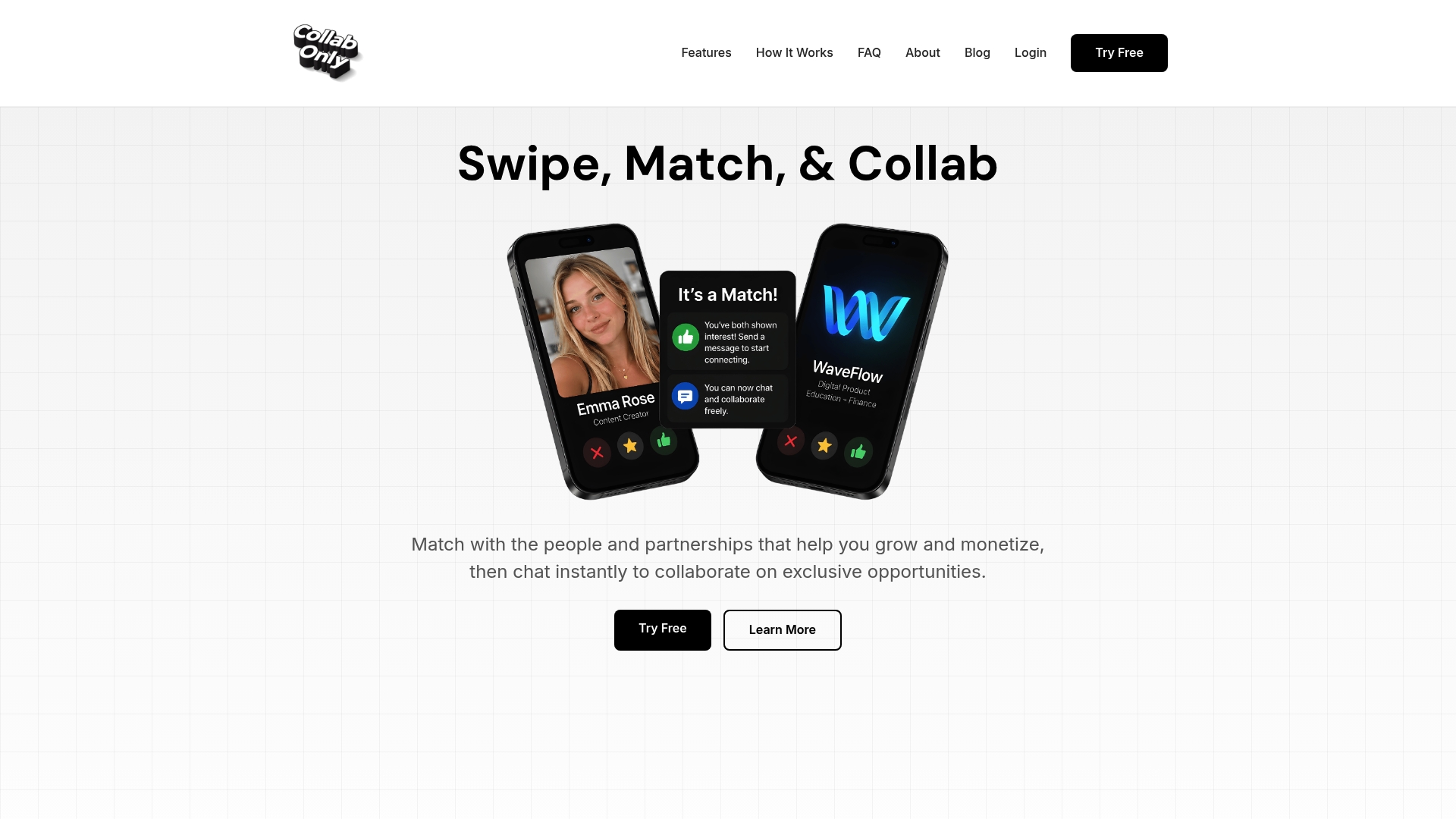
When a brand matches with a creator on Collabonly, the conversation starts immediately. No waiting for email replies. No chasing approvals through disconnected channels. For teams running influencer campaigns on TikTok, Instagram, or YouTube, that speed is a direct competitive advantage. Collabonly's nano influencer marketing solutions connect brands with high-trust creators at scale, while the micro influencer hiring platform supports campaigns that require deeper audience engagement. Both pathways operate within a single collaborative ecosystem designed for speed and alignment.
FAQ
What is real-time collaboration in simple terms?
Real-time collaboration is when multiple people work together simultaneously in a shared digital space, with every edit, message, or update visible to all participants instantly. It is the synchronous equivalent of working side by side in the same room, regardless of physical location.
How much productivity does real-time collaboration add?
Teams using real-time collaboration workflows increase productivity by nearly 33% and save over 8 hours per week per team member. Those gains come primarily from eliminating version control delays and reducing the volume of status meetings.
What are the best examples of real-time collaboration tools?
Common examples of real-time collaboration software include platforms that combine persistent messaging, video conferencing, and co-authoring document editing in a unified workspace. The defining feature is low-latency synchronization that allows simultaneous editing without data conflicts.
When should teams use async instead of real-time collaboration?
Async collaboration works best for deep focus work, cross-timezone tasks, and documentation. Effective teams reserve real-time interaction for brainstorming sessions, crisis response, and decisions that require immediate input from multiple stakeholders.
How do you prevent burnout from real-time collaboration tools?
Burnout prevention requires written team agreements on notification settings, availability windows, and response time expectations by channel. Without these agreements, constant alerts from real-time tools fragment attention and erode the productivity gains the tools are meant to create.