

Influencer whitelisting means a brand runs paid ads directly from a creator's own handle, with that creator's explicit permission. It combines the creator's built-in credibility with a brand's targeting and testing tools. Choose it when you need creator-native creative that scales through paid media, with real ad-level control over spend, audience, and optimization.
TL;DR:
- Whitelisting allows brands to run paid ads directly from a creator’s handle with explicit permission, enabling full creative control and dark posting capabilities.
- It consistently outperforms boosting by supporting A/B testing, audience retargeting, and creative edits, leading to higher click-through rates and lower acquisition costs.
- Setup requires the creator to enable branded content tools and generate authorization codes, with campaign success relying on proper contract terms, organic validation, and performance tracking.
- Choosing creators based on engagement quality, content fit, and audience response is crucial, while contracts should specify permissions, usage window, and cost, typically adding 20–50% to baseline rates.
- Testing multiple creators simultaneously and accurately measuring core KPIs ensures effective investment, with organic engagement data serving as a key screening tool before scaling.
Table of Contents
- What Is Influencer Whitelisting and How Does It Work?
- Whitelisting vs Boosting: Which Actually Performs Better?
- How Do You Set Up Whitelisting on Meta and TikTok?
- Which Creators and Posts Are Worth Whitelisting?
- What Should Go in a Whitelisting Contract, and What Does It Cost?
- What KPIs Actually Prove a Whitelisting Campaign Worked?
- What Are the Biggest Risks in Whitelisting Campaigns?
- How Collabonly Supports Whitelisting Workflows
- Conclusion: A 5-Step Starter Checklist
- What the Conventional Advice on Whitelisting Gets Wrong
- Ready to Start Whitelisting? Match With Creators on Collabonly
- Sources
- FAQ
What Is Influencer Whitelisting and How Does It Work?
Whitelisting depends entirely on permissions the creator grants inside the platform. On Meta, a creator enables branded content tools and either generates a Partnership Ad Code the brand enters in Ads Manager, or approves the brand as a partner directly. TikTok runs a similar model through Spark Ads authorization codes. Once granted, the brand can publish ads that display the creator's name and profile, while the brand's ad account handles budget, targeting, and reporting.
The term gets confused with three related tactics constantly:
- Boosting puts brand ad dollars behind an existing organic post, but the brand cannot edit creative, test variants, or dark post.
- Licensing grants rights to reuse creator content in the brand's own organic or paid channels, without running ads from the creator's handle.
- Dark posting publishes an ad that never appears on the creator's public feed, visible only to the targeted paid audience.
Whitelisting, done through Meta Partnership Ads or TikTok Spark Ads, is the umbrella mechanism that makes all three possible at once.
Whitelisting vs Boosting: Which Actually Performs Better?
Boosting is simple but rigid. It amplifies whatever the creator already posted, with no edit rights, no dark posting, and no meaningful A/B testing. Whitelisting removes those constraints entirely.
Statistic callout: Industry benchmarks compiled by Refunnel show whitelisted ads frequently deliver higher click-through rates and lower acquisition costs than standard brand-owned ads, largely because the creative retains the creator's authentic voice while the brand controls where and to whom it runs.
What whitelisting adds over boosting:
- Full creative editing, including swapping captions, CTAs, and thumbnails without touching the creator's original post.
- Dark posting, so testing dozens of variants never spams the creator's followers or dilutes their organic feed.
- Audience-level targeting and retargeting, layered on top of the creator's existing credibility.
- Structured A/B testing across hooks, formats, and audiences, something boosting's single-post model cannot support.
The trade-off is complexity. Whitelisting requires contracts, platform permissions, and ongoing coordination that boosting skips entirely.
How Do You Set Up Whitelisting on Meta and TikTok?
Setup is a two-sided handoff. The creator opens a door; the brand walks through it in Ads Manager or TikTok Business Center.
- Creator enables branded content tools. On Instagram or Facebook, this means turning on branded content settings and either issuing a Partnership Ad Code for a single post or approving the brand as an ongoing ad partner.
- Creator authorizes TikTok Spark Ads. The creator generates a video authorization code tied to a specific post, valid for a set number of days.
- Brand enters the code or accepts the partnership. In Meta Ads Manager, the brand pastes the Partnership Ad Code or confirms the approved partnership under the ad account's Instagram settings.
- Brand selects assets and builds the campaign. This includes choosing which posts to whitelist, setting placements, and configuring dark post options so nothing publishes to the creator's organic feed.
- Brand assigns ad account roles. Someone on the team needs admin access to manage the partnership; someone else should own reporting so performance data does not sit isolated in one person's dashboard.
Pro Tip: Test the Partnership Ad Code flow on one low-stakes post before rolling it into a full campaign. Codes expire, and a mistimed setup can stall a launch by days.
Our Instagram Partnership Ads setup guide walks through the Ads Manager screens in more detail if you want a visual reference.
Which Creators and Posts Are Worth Whitelisting?
Follower count is the weakest signal in this decision.
Set organic validation thresholds before you spend a dollar on amplification:
- Engagement rate relative to that creator's own historical average, not an industry-wide benchmark.
- Comment quality and volume, since comments signal deeper attention than passive likes.
- Video completion rate, which predicts how a clip will perform once it's running as a paid ad to cold audiences.
- Content format fit: short-form video, vertical reels, and story-style assets consistently convert better as whitelisted ads than static image posts.
Letting audience behavior decide which posts earn ad budget, rather than guessing based on production polish, keeps spend concentrated on creative that has already proven itself. Our guide to matching creators and brands covers audience-fit criteria in more depth.
What Should Go in a Whitelisting Contract, and What Does It Cost?
Every whitelisting agreement needs four permission types spelled out in writing, according to DataAlly's negotiation breakdown:
- Ad-account access, defining exactly what the brand can see and control.
- Dark posting rights, confirming ads can run without appearing on the creator's public feed.
- Audience-data targeting permissions, clarifying whether the brand can layer its own custom audiences onto the creator's content.
- Content-edit rights, specifying what can be changed (captions, CTAs, thumbnails) versus what must stay untouched.
Pricing typically layers on top of the creator's base sponsored-post rate:
| Contract term | Typical benchmark | Notes |
|---|---|---|
| Standard whitelisting add-on | 20% to 50% above base rate | Varies with usage window and exclusivity |
| Usage window | 30 days | Shorter windows often cost less |
| Exclusivity clause | Higher end of the range | Blocks competitor whitelisting during the window |
Red flags to walk away from: no defined usage window, vague or undisclosed usage rights, or any verbal-only agreement. If it isn't written down, it isn't enforceable.
What KPIs Actually Prove a Whitelisting Campaign Worked?
Track the same core paid-media metrics you'd apply to any acquisition campaign, then layer in engagement signals specific to creator content: CTR, CPA, ROAS, conversion rate, and comment or save rate on the ad itself.
Statistic callout: Because whitelisted ads tend to post stronger CTR and lower CPA than brand-owned creative, a whitelisting test that merely matches your existing paid benchmarks should be treated as underperforming, not neutral.
Build the testing structure before launch:
- Run at least two to three creative variants per creator to isolate what's actually driving performance.
- Split audiences (lookalike, interest-based, retargeting) to see where the creator's content resonates most.
- Cap frequency per user, since creator ads fatigue audiences faster than generic brand creative once the novelty wears off.
- Confirm your pixel and UTM parameters fire correctly before scaling spend. A tool for tracking campaign performance can catch attribution gaps early, before a bad tracking setup skews a week of reporting.
What Are the Biggest Risks in Whitelisting Campaigns?
FTC disclosure rules apply whether or not a post ever appears on the creator's organic feed, and someone on the contract needs to own that responsibility, especially for dark posts the public never sees on the creator's profile.
Operational risks worth planning around:
- Creator revocation. Permissions can be pulled mid-campaign; build in a notice period and a backup creative plan.
- Audience fatigue. Cap frequency and set a firm usage window rather than running the same asset indefinitely.
- Overexposure. Running one creator across too many simultaneous brand deals dilutes their credibility, and your ad's performance with it.
Contractually, insist on clear termination clauses, defined renewal pricing, and an approval flow for every asset before it goes live, as DataAlly recommends treating usage rights.
How Collabonly Supports Whitelisting Workflows
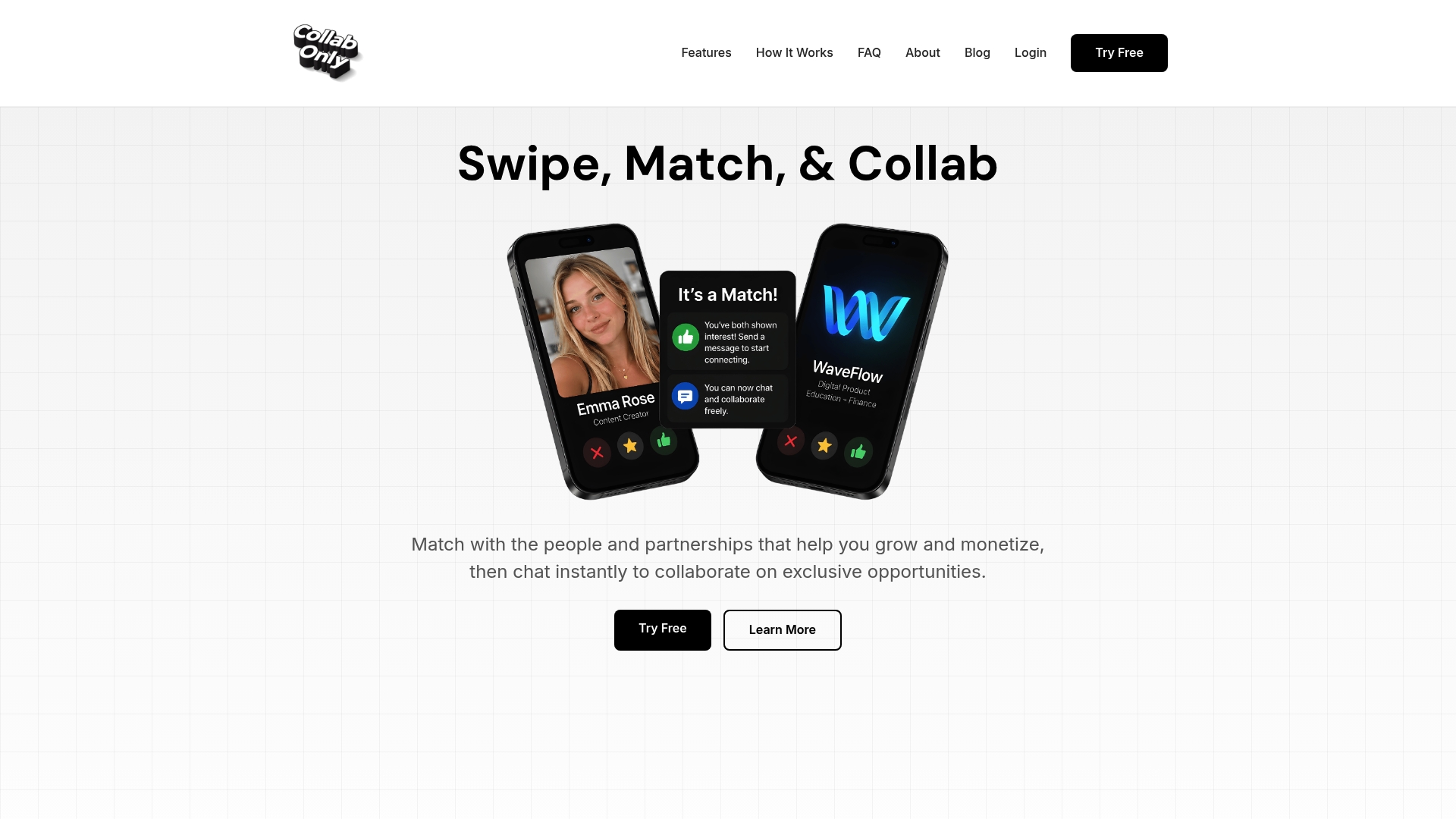
Collabonly connects brands and creators across TikTok, Instagram, and YouTube through a swipe-based matching system, then opens instant chat the moment both sides express interest. That structure removes the slow email chains and buried DMs that typically stall permission requests before a whitelisting campaign ever gets off the ground.
Resources worth checking before you negotiate your first agreement:
- Instagram Partnership Ads setup and optimization guide
- How to engage with creators for brand partnerships
- What is creator marketing? A 2026 strategy guide
Pro Tip: Match with two or three creators simultaneously for your first whitelisting test. Running parallel small tests reveals which creator's audience actually converts before you commit to a full contract.
Conclusion: A 5-Step Starter Checklist
Choose whitelisting when you need creator-native creative running as controlled, measurable paid media, not when a single boosted post will do. Before launch:
- Pick a creator based on engagement quality, not follower count.
- Agree on all four permission types and a defined usage window in writing.
- Set your KPIs and confirm tracking works before spend goes live.
- Launch a small test with two to three creative variants.
- Review performance weekly and renegotiate terms before the usage window expires.
Start that process on Collabonly's matching platform.
What the Conventional Advice on Whitelisting Gets Wrong
Most guidance treats whitelisting as a technical checklist: flip the permission toggle, enter the code, launch the ad. That undersells the part that actually determines whether a campaign works, which is the negotiation happening before any code gets entered into Ads Manager.
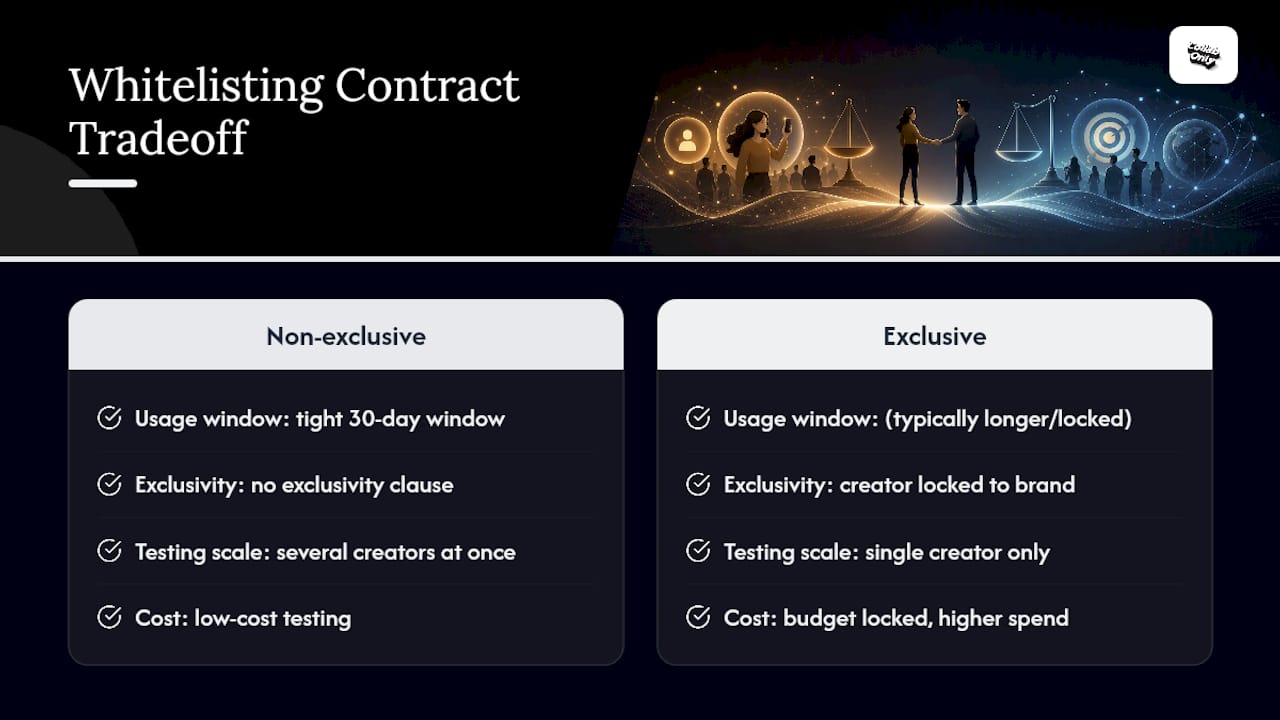
Brands consistently underprice the usage window and overprice exclusivity, when the reverse allocation usually serves them better. A tight 30-day window with no exclusivity clause lets you test cheaply across several creators at once, rather than locking budget into one exclusive deal before you know which creator's audience actually converts. Exclusivity only earns its premium once a creator has already proven performance in an unlocked test.
The other overlooked point: organic engagement is a screening tool, not a formality. Skipping it to whitelist a creator's most polished post, rather than their best-performing one, is the single most common way brands waste ad spend on this tactic. The data a creator's own audience already generated is free. Ignoring it in favor of production value is the expensive mistake.
Prioritize the contract terms and the organic proof points first. The platform mechanics are the easy part.
— Samuel
Ready to Start Whitelisting? Match With Creators on Collabonly
Collabonly is the faster route to a whitelisting-ready partnership than cold outreach or a traditional agency retainer. Instead of chasing DM replies or waiting on agency turnaround, brands swipe through creators already open to paid collaboration and get instant chat the moment there's a match, so permission conversations start the same day instead of weeks later.
That speed matters most when you're running the kind of small parallel tests this guide recommends. Brands launching a product campaign can match with multiple creators at once and compare organic engagement before committing to a whitelisting contract. Teams working with tighter budgets get the same access through nano influencer matching, where high engagement rates often outperform bigger names at a fraction of the negotiated add-on cost.
Create a free Collabonly profile and start swiping through creators whose audiences already fit your next whitelisted campaign.
Sources
- Influencer Whitelisting vs Post Boosting: Which One Is Better? - HypeAuditor blog
- Influencer Whitelisting: How It Works, Usage Rights, and What Creators Charge - DataAlly
- What Is Influencer Whitelisting? How to Run Better Marketing Campaigns in 2026 | Refunnel Blog
FAQ
What Does Influencer Whitelisting Mean?
It means a brand runs paid ads directly from a creator's social handle, using permissions the creator grants through tools like Meta Partnership Ads or TikTok Spark Ads, so the ad displays the creator's name while the brand controls targeting and spend.
How Much Should Influencers Charge for Whitelisting?
Whitelisting typically adds 20% to 50% on top of a creator's base sponsored-post rate, with pricing scaling up based on the usage window's length and whether the brand requires exclusivity.
What Are Examples of Whitelisting?
Common examples include a brand dark-posting a beauty creator's tutorial to a cold retargeting audience, or a fashion brand A/B testing three different captions on the same whitelisted TikTok Spark Ad to find the best-converting hook.
Is Being Whitelisted a Good Thing for a Creator?
Yes, for most creators it's a straightforward revenue opportunity, since it adds paid usage fees on top of the original content fee without requiring new creative work, as long as the contract clearly defines the usage window and content-edit rights.
How Is Whitelisting Different From Boosting a Post?
Whitelisting gives brands full creative editing, dark posting, and audience targeting on a creator's content, while boosting only amplifies the post exactly as it already exists, with no edit rights or testing options.